What an ultrasonic sensor actually measures
An ultrasonic distance sensor sends out a short burst of sound above the usual range of human hearing, then listens for an echo. Its reported distance is based on the time between sending the burst and receiving a reflection. Because the sound travels to the object and back, the calculation accounts for a round trip. Many maker modules handle some of this timing internally, while others provide a pulse that a microcontroller measures.
The sensor does not see an object’s outline or identify what it is made of. It reports a distance associated with an echo it can detect, within the limits of its design. A reading may come from a tabletop, a wall behind the intended target, or another surface within the sensor’s field. Treat the number as an estimate of a reflecting surface, not proof that a particular object is present.
Why the nearest object may not give a useful echo
Ultrasonic modules often have a close-range blind zone. After transmitting, the sensor needs time before it can reliably listen for a return. A target pressed near the front of the module may therefore produce no valid reading or an unstable one. Check the particular module’s stated measurement range rather than assuming it can measure all the way down to its case.
The direction and texture of a surface matter too. A broad, flat surface facing the sensor tends to return a clearer echo than one tilted away from it. Soft or irregular materials may absorb or scatter sound. Narrow objects can be missed, especially when they are farther away. If a target seems invisible, change its angle or try a larger, firm surface before concluding that the sensor has failed.
Sound spreads outward rather than forming a perfectly thin beam. In a crowded space, the sensor may respond to a nearby edge instead of the object directly in front of it. Mounting it beside a shelf, inside a narrow enclosure, or close to a wall can introduce reflections that are easy to mistake for the intended target.
Environmental effects and misleading readings
Distance calculations depend on how fast sound travels through air, which varies with conditions such as temperature. For many simple projects, this effect may be less important than target shape or mounting position. If your project needs consistent measurements across noticeably different conditions, allow for calibration and check whether the chosen module meets your needs.
Air movement, background noise, and repeated reflections can also contribute to uncertain results. Two ultrasonic modules operating near each other may sometimes hear one another’s bursts. A project that uses multiple sensors can reduce confusion by triggering them separately and allowing enough time for echoes to fade before starting the next measurement. The appropriate interval depends on the module and the distances being measured.
A missing echo should not automatically become a distance of zero. Depending on the module or software, it may appear as a timeout, an out-of-range value, or an unusual number. Decide explicitly what your program should do when a reading is unavailable: retain the last valid value briefly, flag the reading as unknown, or pause an action that depends on obstacle detection.
A simple low-voltage test before mounting
Start with a module and controller whose documented supply voltages and signal levels are compatible. Some modules use an output level higher than a particular controller input can safely accept; use an appropriate level-shifting method if required. Keep this experiment on a suitable low-voltage supply. Do not connect a maker sensor directly to household wiring or an unknown power source.
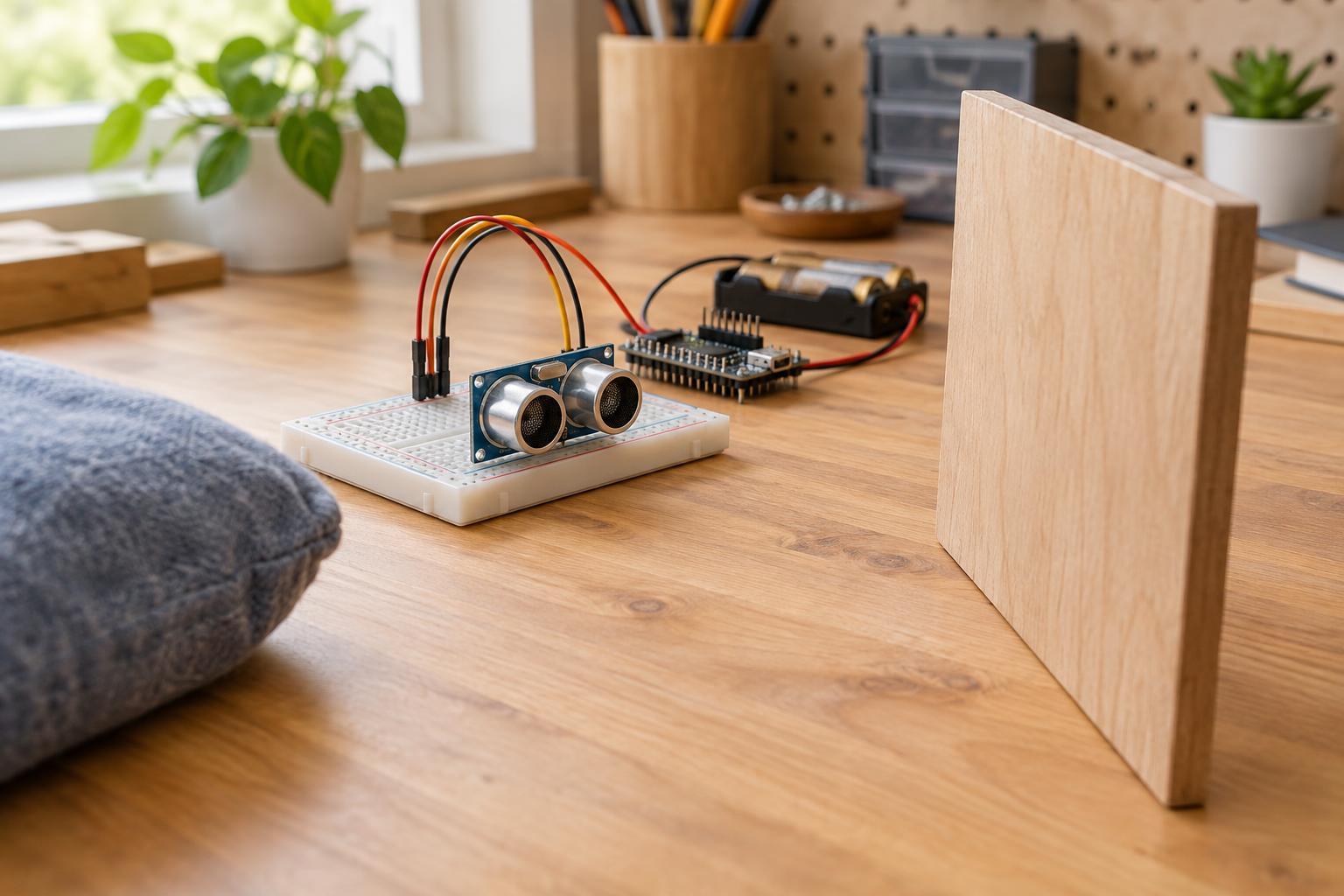
Place the sensor in an open area and aim it at a large, flat object. Move the object between several known positions within the module’s stated range, and observe whether the readings change in the expected direction. Then try a tilted surface, a smaller object, and a very close position. This shows you the difference between normal limitations and a possible wiring or software problem.
If the values never change, check the power, shared ground, pin assignments, and timing requirements in the module’s documentation. If they change but jump unexpectedly, look for nearby reflecting surfaces and check whether the target is firmly positioned. Recording a short sequence of readings at each position is more informative than trusting a single number.
Design around uncertainty
A dependable project does not require every individual reading to be perfect. For a display or a noncritical indicator, you might use several readings and ignore an occasional obvious outlier. For a device that reacts to a nearby object, require a few consistent readings before changing state and allow a margin around the chosen threshold. These choices help prevent rapid switching when an object sits near the boundary.
Finally, test the sensor in its intended mounting position, not only on the workbench. Enclosures, nearby surfaces, and the kinds of objects users actually place in front of it can change the result. Ultrasonic sensing is useful when its limits fit the task; when a small, angled, or soft target must be detected reliably, consider whether a different sensing method would be a better match.