What the two names mean
A seven-segment display contains seven LED segments arranged to form digits. Many displays also have a decimal-point LED. Each segment lights when current flows through it in the correct direction, just like a separate LED. The difference between common-anode and common-cathode displays is which side of those LEDs is joined inside the package.
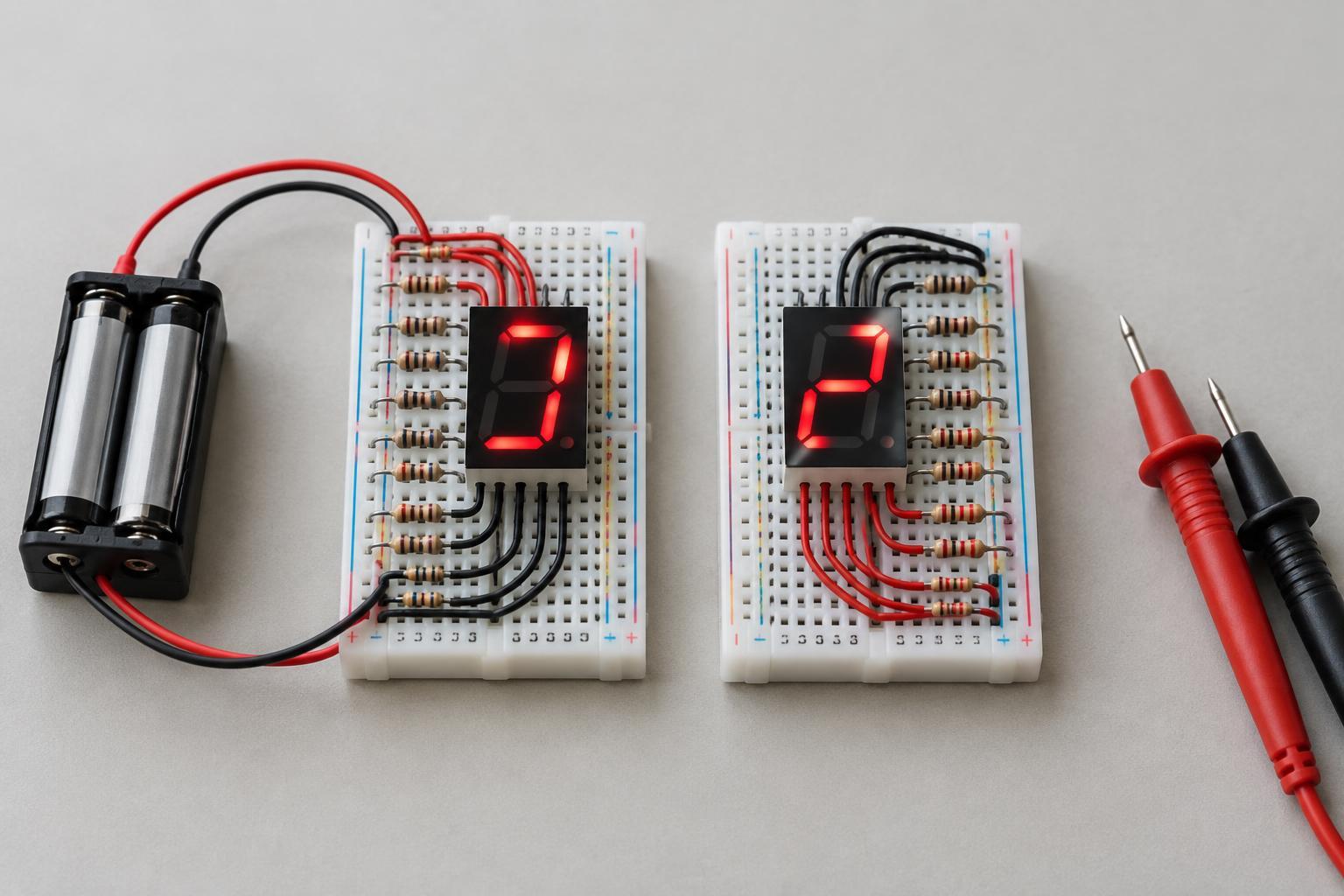
In a common-cathode display, the segments’ cathodes connect to one or more shared common pins. Connect the common pins to the circuit’s ground, then supply current to a segment’s anode to light it. In a common-anode display, the anodes share the common pins. Connect those pins to the positive supply, then provide a path from a segment’s cathode toward ground to light it. Some packages have two common pins; follow the pinout for the particular display rather than assuming their locations.
How wiring changes the control signal
For a simple, single-digit common-cathode circuit, a controller output typically turns a segment on by going HIGH and sourcing current through a resistor and the segment to ground. For a common-anode circuit, the output typically turns a segment on by going LOW and sinking current through the segment and a resistor. In either case, an output pin set to the opposite level leaves that segment off.
This difference matters in software and when choosing a display driver. A digit pattern written for one type may need its segment-control bits inverted for the other. A driver intended to sink current is not automatically suitable for a common-cathode display, and a driver intended to source current is not automatically suitable for a common-anode display. Check the driver’s supported display type, output behavior, supply voltage, and current limits before connecting it.
Use a resistor for each segment current path
Do not connect an LED segment directly across a power supply or controller output. Put a current-limiting resistor in series with each segment you intend to control independently, including the decimal point if you use it. The resistor can go on either side of its segment; what matters is that current through that segment must pass through the resistor. One resistor on the shared common connection is usually a poor substitute because its current, and therefore segment brightness, changes with the number of segments lit.
Choose resistor values using the supply voltage, the segment’s forward-voltage range, and an appropriate current from the display’s specifications. A starting calculation is resistance = (supply voltage − segment forward voltage) ÷ desired segment current. The result is an estimate, not a guarantee: LED voltage varies, and the controller or driver must be able to handle both the current of an individual output and the total current across its outputs. If those ratings are unclear, use a higher resistance and verify the design before increasing brightness.
Identify an unfamiliar display before wiring it
Start with the part number and its pinout if available. The package shape alone does not reveal whether the display is common-anode or common-cathode, and segment pin order varies between models. Label the common pins and the pins for segments a through g before building a circuit.
For a loose display with no reliable pinout, work only with an unpowered part. A multimeter’s diode-test mode may make an LED segment glow faintly when the probes are oriented in its forward direction, though some meters cannot light every type of segment. Alternatively, use a suitable low-voltage supply and a series resistor, such as 1 kΩ on a 3.3 V supply, to probe cautiously. If a candidate common pin connected toward ground lets several other pins light segments when connected toward positive, it is likely a common cathode. If a candidate common pin connected toward positive lets several other pins light segments when connected toward ground, it is likely a common anode. Never test by connecting unknown pins directly across the supply.
Plan for multiple digits
In a multi-digit display, corresponding segment pins may be shared while each digit has its own common connection. A controller or driver can light one digit at a time, changing the segment pattern as it switches digits. Repeating that sequence quickly enough makes the digits appear continuously lit. This technique, called multiplexing, needs the correct switching arrangement: common-anode digits are enabled from the positive side, while common-cathode digits are enabled from the ground side.
Multiplexing also changes the electrical design. A digit’s common connection may carry the combined current of several lit segments, so it should not be assigned to a controller pin without checking that pin’s limits. A suitable display driver or appropriately rated switching components can handle the digit connections. For a first project, one digit, a known pinout, individual resistors, and a low-voltage supply make it much easier to see whether the wiring and active-HIGH or active-LOW logic are correct.