What the project does
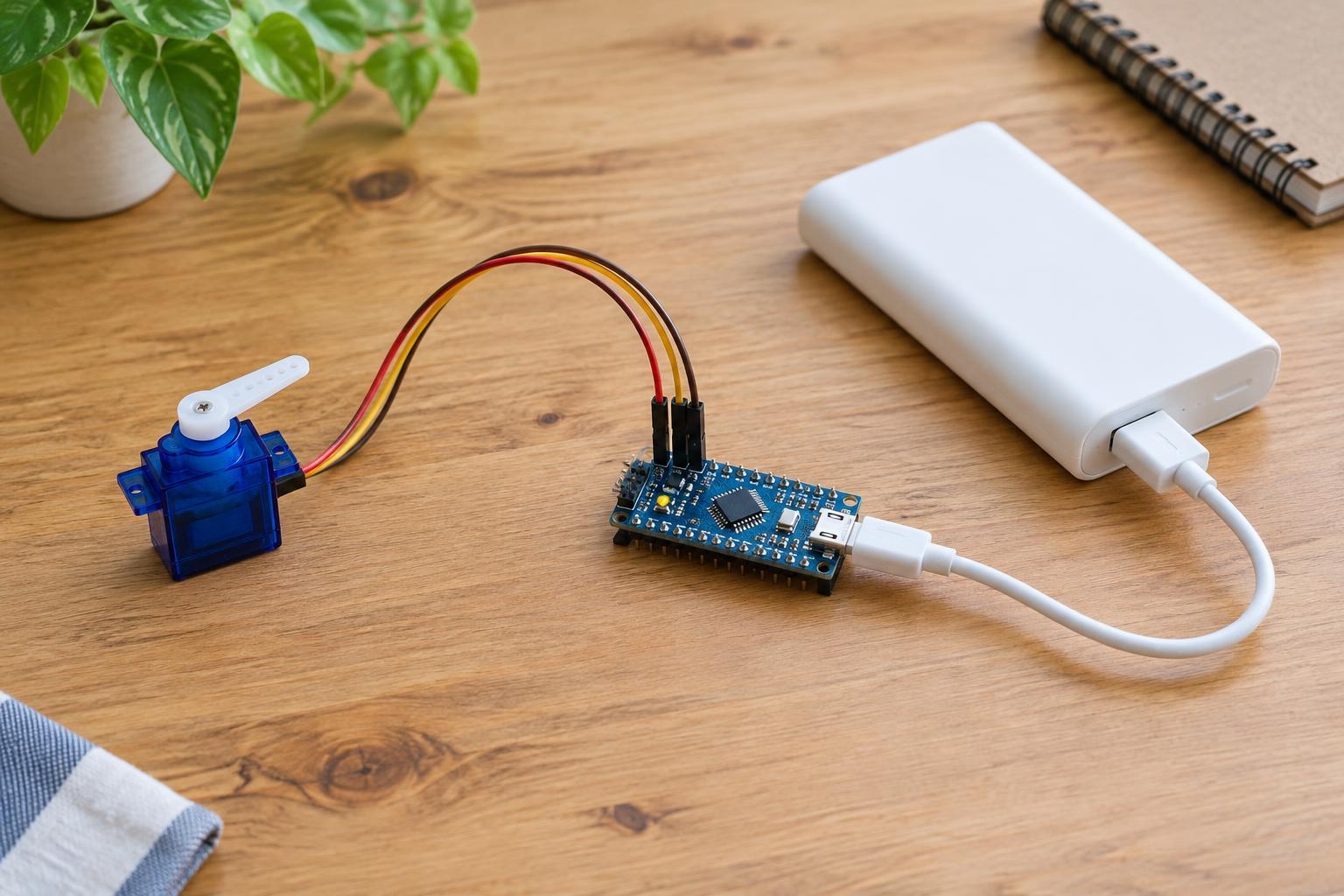
A hobby servo turns its output shaft toward a requested position. In this project, a microcontroller sends the position command while a USB power bank supplies 5 V power. You can use it to move a lightweight pointer or explore how a digital output controls a physical device. Keep the servo unloaded for the first test; a stalled or heavily loaded servo can draw much more current than one moving freely.
Choose a small positional servo rated for 5 V operation, a microcontroller board with a documented power input, and a power bank whose output can supply the board and servo together. You will also need a suitable USB power breakout or distribution adapter, hookup leads, and the programming cable for your board. Some power banks switch off when the load is very small, so an unexpected shutdown does not necessarily mean the program is wrong.
Plan the power connections first
A typical small servo has three leads: power, ground, and signal. Check the markings or documentation for your particular servo rather than relying on wire color alone. Connect its power lead to the breakout’s 5 V output and its ground lead to ground. Connect the signal lead to a digital pin that your board’s servo library supports. The microcontroller ground and servo ground must be connected so the signal has a shared reference.
Do not power the servo from a GPIO pin. Also avoid assuming that a board’s 5 V header can supply servo current simply because the board itself is USB-powered. A practical arrangement is to distribute the power bank’s 5 V output separately to the servo and to the board’s documented regulated 5 V input, if that input is intended for this use. If you instead power the board through USB and the servo from a second power-bank port, still connect their grounds; verify that your equipment permits this arrangement. Do not tie two 5 V outputs together.
Use purpose-made, insulated USB breakout hardware rather than bare or improvised USB wiring. Work only on the low-voltage output side of an intact power bank. Never open the bank or connect this circuit to household mains. Assemble and inspect the connections with power disconnected, and remove power if a wire, connector, or component becomes hot.
Send an angle command
Most positional hobby servos respond to a repeating control pulse. A servo library handles the timing, letting you request an angle instead of generating each pulse yourself. For example, in an Arduino-compatible environment with a supported board and pin, a program can attach a Servo object to digital pin 9, command 90 degrees, wait about a second, command 30 degrees, then command 150 degrees. A short pause after each command gives the servo time to move. Check your board’s library examples for the exact syntax and pin support.
Start near the middle of the servo’s travel. Requested angles are convenient labels, not a guarantee that every servo reaches an exact physical angle. A model may have a narrower usable range or may reach its mechanical stop before a library’s full range. Move toward the ends in small steps and stop if the servo strains, buzzes persistently, or presses against an obstruction. Keep fingers and loose wires clear of the moving arm.
Test and troubleshoot one change at a time
Before attaching a pointer or linkage, place the servo where its arm can move freely. Check the power and ground connections once more, connect the power bank, and run a simple program that alternates between two modestly separated positions around the center. If the arm moves smoothly, try a different angle. Attach only a light load after the unloaded test works, and do not use the servo to hold a load that makes it stall.
If nothing moves, confirm that the power bank is on, the servo receives its specified voltage, the grounds are shared, and the program uses the pin you wired. If the arm jitters or the microcontroller restarts during movement, the supply, breakout, or connections may not handle the servo’s changing current demand. Disconnect power before adjusting wiring; try a suitable higher-capacity power arrangement rather than routing servo power through a signal pin. A 3.3 V microcontroller’s control signal works with some servos but not all, so check compatibility if power and wiring appear correct.
Keep the experiment reusable
Label the servo’s leads and note which pin and library settings worked. When finished, disconnect the power bank before changing the linkage or storing the circuit. Reuse intact connectors and components for the next low-voltage experiment rather than leaving exposed conductors in a drawer. The useful lesson is broader than one angle setting: the controller provides the command, the supply provides the motor’s power, and a shared ground lets the two parts communicate reliably.