What the indicator does
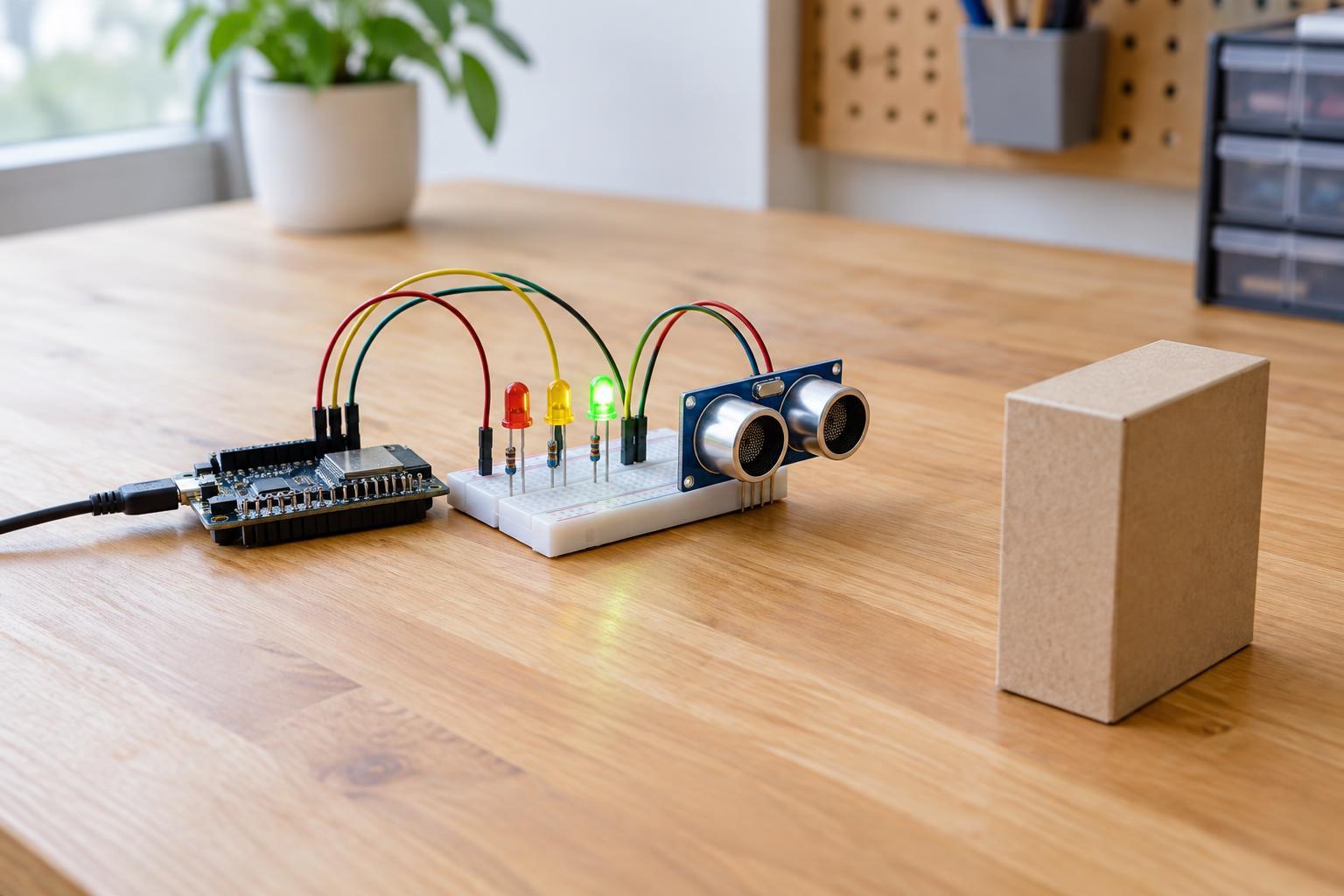
An ultrasonic distance sensor sends a brief sound pulse and listens for its echo. The time between sending the pulse and receiving the echo gives an estimate of the distance to an object. In this project, a microcontroller turns on one of three LEDs to show a simple distance band: near, middle, or farther away. It is a useful way to learn about digital inputs, timing, and the limits of sensor readings without building a precision measuring instrument.
Use a 3.3 V microcontroller board, an ultrasonic module whose documentation explicitly allows both 3.3 V power and 3.3 V signal levels, three LEDs, three current-limiting resistors, a breadboard, and jumper wires. Resistors in the 680 Ω to 1 kΩ range are a reasonable starting point for ordinary indicator LEDs, provided the resulting brightness is sufficient and the board’s pin-current limits are respected. Check the pinout and operating instructions for your particular sensor before connecting it. A familiar-looking module is not necessarily 3.3 V-compatible: some modules require 5 V power or produce a 5 V echo signal that should not be connected directly to a 3.3 V input.
Wire the parts with power disconnected
Connect the sensor’s power pin to the board’s 3.3 V output and its ground pin to board ground. Connect its trigger input to one available digital output and its echo output to one available digital input. Use the names printed on the actual module rather than assuming that its pins follow another model’s order. All parts need a shared ground for the signals to have a meaningful reference.
Give each LED its own output pin and resistor. For a typical LED, connect the output pin through the resistor to the LED’s longer lead, and connect the shorter lead to ground. If your LEDs have already been trimmed, check their markings or test their polarity according to their documentation. Note which output controls the near, middle, and far LEDs so the wiring matches your program. Keep loose wires away from metal objects that could short adjacent connections.
This is a low-voltage breadboard project, not a mains-powered circuit. Power it only from a suitable USB supply or other source approved for your board. Do not attach the sensor or breadboard directly to household wiring, and disconnect power before moving wires. If the board cannot provide enough 3.3 V current for the sensor and LEDs, choose a suitable supply arrangement specified by the board manufacturer rather than improvising a connection.
Turn echo time into an LED signal
Many trigger-and-echo ultrasonic modules start a measurement when the trigger pin receives a short pulse; a 10-microsecond high pulse is common, but follow your module’s instructions. The echo pin then produces a pulse whose width represents the sound’s round-trip travel time. For a module that uses this convention, distance in centimeters is approximately echo duration in microseconds divided by 58. The division accounts for sound traveling to the object and back. Temperature and other conditions affect the speed of sound, so treat the result as an estimate.
A simple program can begin each reading with all LEDs off, send a trigger pulse, and wait for the echo pulse to start and finish. Put a timeout on that wait so a missing echo cannot leave the program stuck. A 25-millisecond observation window is a practical starting point for this indicator; check that it suits the range and timing requirements in your sensor’s documentation. Leave at least the recommended interval between triggers—often around 60 milliseconds—to reduce interference from the previous sound pulse.
For an initial display, turn on the near LED for a valid reading below 20 cm, the middle LED from 20 cm to below 60 cm, and the far LED from 60 cm to 150 cm. Turn all LEDs off when there is no valid reading or the measured distance is outside the range you have chosen to display. These boundaries are examples, not sensor specifications. Once the basic circuit works, taking three readings and using the middle value can make occasional stray echoes less distracting.
Test the result and understand its limits
Start with a broad, flat object facing the sensor and move it slowly through the three distance bands. Watch for the expected LED changes, then compare the readings at a few distances you can measure with a ruler. If nothing lights, check power, shared ground, LED polarity, pin assignments, and whether the sensor actually supports 3.3 V operation. If one LED remains on, check the program’s distance boundaries and confirm that it switches the other LEDs off on each update.
Ultrasonic sensing depends on a usable echo. Soft materials may absorb sound, narrow objects may reflect too little, and angled surfaces may send the reflection away from the receiver. Very close objects can also fall inside a sensor’s minimum working distance. A blank display in those situations does not necessarily mean the wiring has failed. Test with a larger, flatter target before changing the circuit. This indicator is best treated as a learning aid or rough proximity cue, not as a safety device or a guaranteed obstacle detector.