What a loose solder joint can do
Solder connects a component lead or connector pin to a copper pad on a circuit board. If that connection cracks or separates, a gadget may work only some of the time. A button might respond intermittently, an indicator might flicker, or a device might stop working after being moved. These symptoms are clues, not a diagnosis: a worn switch, damaged cable, loose plug or failing component can behave much the same way.
Joints on connectors and other parts that are pushed, pulled or repeatedly heated and cooled may experience mechanical stress. Even so, a suspicious-looking joint is not necessarily the cause of a fault. The useful goal of a visual inspection is to identify a possible repair point and decide whether further work is appropriate, not to declare the problem solved by sight alone.
Set a safe inspection boundary
Limit a casual inspection to a low-voltage gadget that can be fully disconnected from external power. Turn it off, unplug it and remove user-removable batteries if the maker’s instructions allow. Do not open a swollen, leaking or damaged battery pack. If a device contains a mains power supply, a large capacitor, a display backlight power circuit or another potentially high-voltage section, leave internal inspection to someone qualified; unplugging does not make every internal part safe to touch.
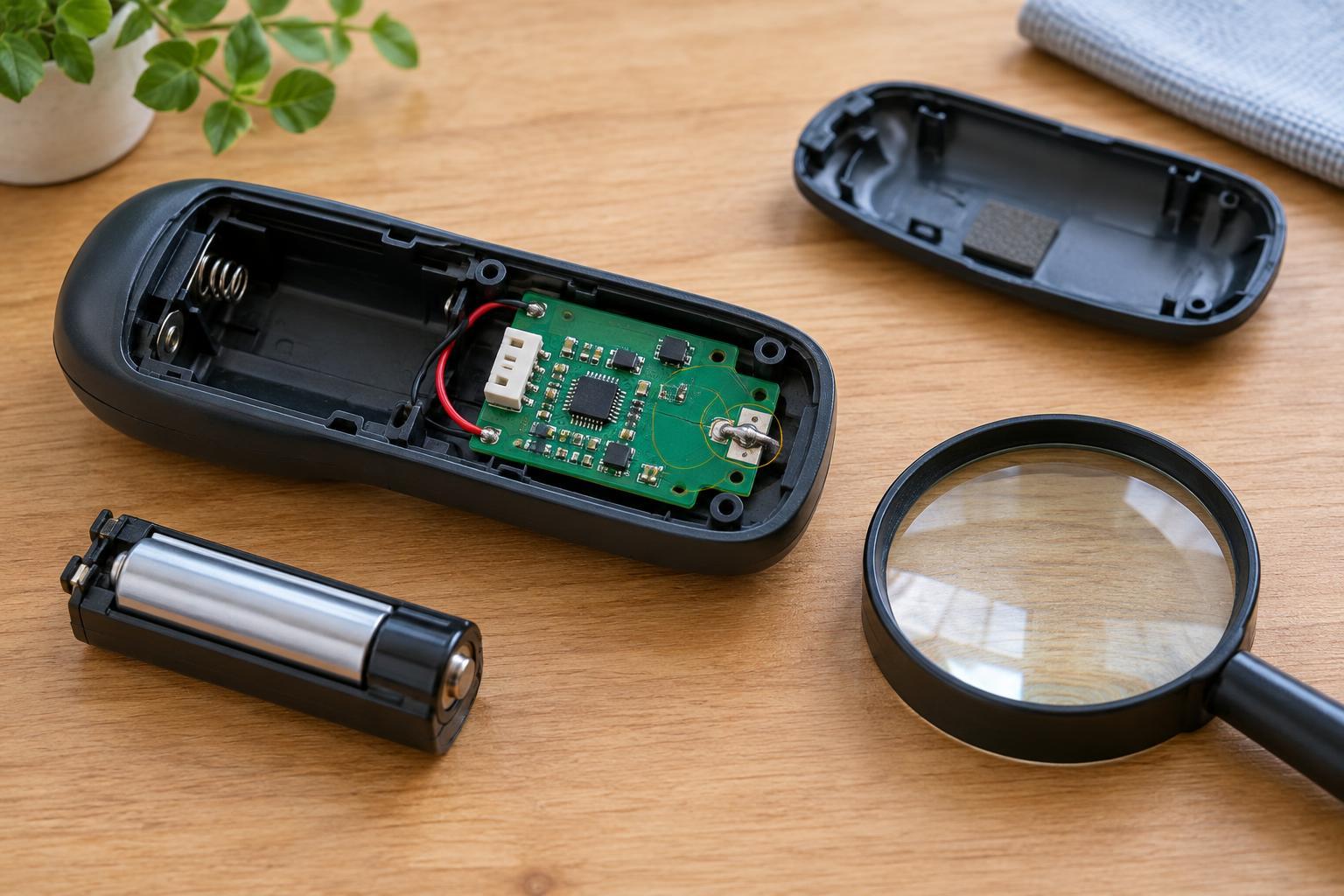
Check the product’s instructions before opening an enclosure. Some cases are glued or designed so that opening them may damage seals, cables or clips. Work on a clear, dry surface with good light, and keep loose screws away from children and pets. For an initial look, a magnifier and a photo taken before anything is moved are often more useful than a tool. Avoid powering an exposed board or pressing on components to reproduce an intermittent fault.
Visual clues worth noting
Look at accessible solder joints without scraping or bending them. A fine circular line around a component lead, a gap between solder and a pin, or a joint that appears separated from its copper pad may suggest a cracked connection. A connector that sits crooked or has pins with noticeably different-looking joints can also be worth noting. Compare similar joints on the same board, since lighting, solder type and manufacturing methods affect how they appear.
A dull or uneven surface alone is weak evidence. Some sound joints are not shiny, and harmless residue can resemble contamination. Likewise, a dark patch may be old flux rather than heat damage. Photograph the area and note where the symptom occurs instead of trying to clean or reheat an uncertain spot. A lifted copper pad, missing trace, melted plastic or signs of overheating point to a more involved repair than simply adding solder.
Other faults that can look similar
Before blaming a joint, consider the parts that experience everyday wear. A plug may fit poorly, a cable may break internally near its strain relief, battery contacts may be dirty, or a switch may be worn. If the gadget has a removable accessory, trying a known-working compatible accessory without opening the device may help narrow the possibilities. Stop if a connector needs force or feels unusually hot.
Moisture and corrosion add another complication. Greenish or white deposits, sticky residue and multiple discolored areas can indicate damage beyond the visible joint. Cleaning the surface might hide evidence while leaving conductive residue or damaged copper underneath. If the symptoms began after a spill, describe that history to a repairer; it is often more helpful than guessing which individual joint has failed.
When to seek skilled repair or choose reuse
Ask a skilled repairer to assess the gadget if the suspected joint is on a battery connection, a charging port, a fine-pitch component or a board with damaged pads. The same applies when reaching the board requires removing a glued battery or working near a power circuit. Solder repair involves more than making metal stick: excessive heat, bridged pins and poor strain relief can create new faults. A repairer can check the connection and decide whether a connector, cable or other part also needs attention.
If the repair is not practical, keep useful chargers, accessories or parts only when their condition and compatibility are clear. Do not pass on a gadget with a known electrical fault as though it works normally. For a device with an embedded or damaged battery, follow local collection guidance rather than placing it in ordinary waste. An honest description of the symptoms helps a future repairer or recycler handle the device responsibly.