Choose parts that can work together
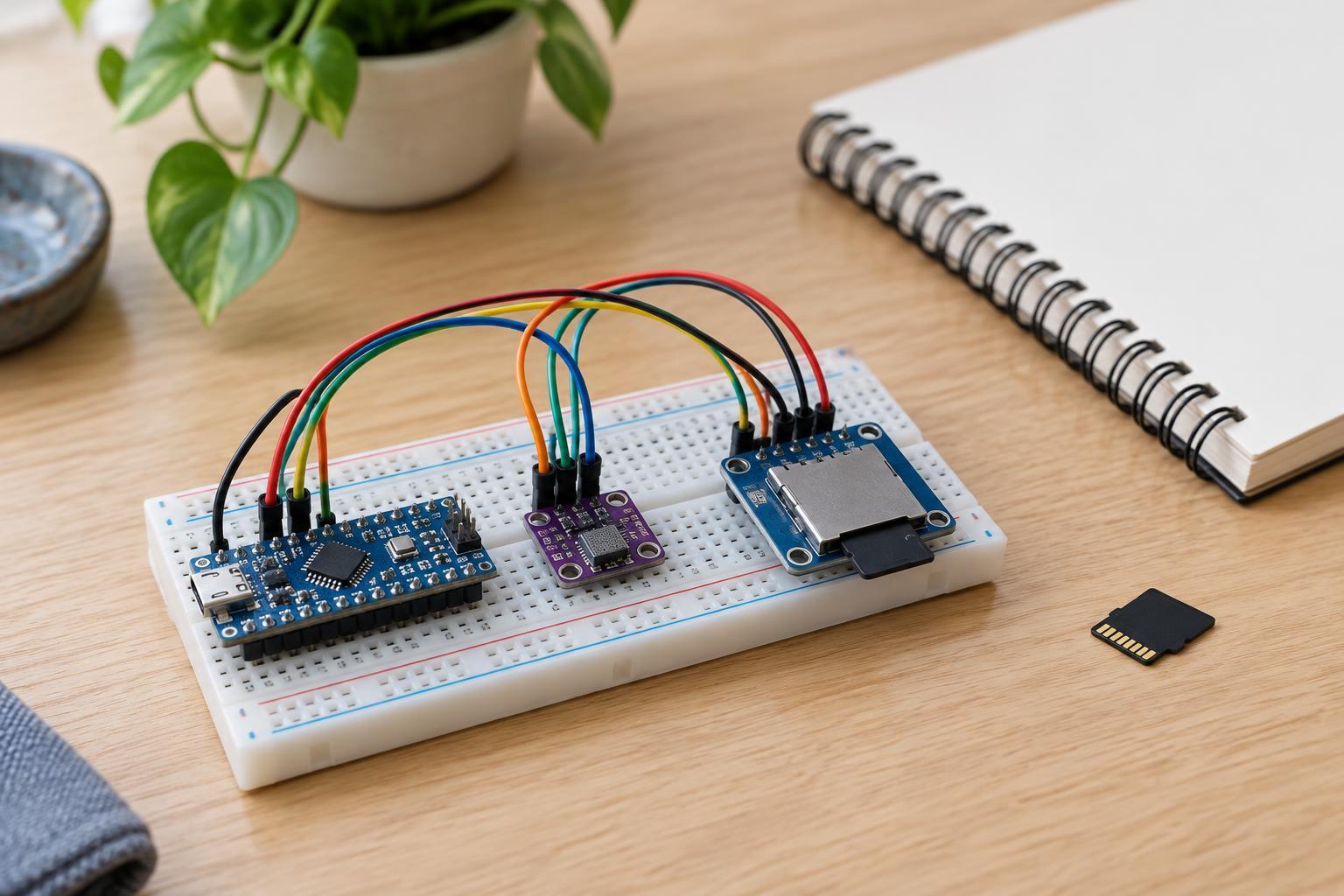
A microSD card can turn a small sensor project into a portable data logger. The basic setup is a microcontroller, a sensor, a microSD card and a card socket or module. This project is for low-voltage, battery-powered or USB-powered boards only. Do not connect it to mains wiring or use it to measure voltages outside the ratings of the board and sensor.
Choose a microcontroller whose 3.3 V logic can communicate with both the sensor and the card interface. Check the actual specifications of every part: a board described as “3.3 V” may still have pins with different limits, and microSD modules vary. Some modules include a regulator or level-shifting circuitry; others expect a regulated 3.3 V supply and 3.3 V signals. Do not assume a module makes 5 V connections safe. If you are unsure, use a clearly documented 3.3 V-compatible module and follow its pinout.
For a first build, pick a sensor with a library or example program for your microcontroller. An I2C temperature sensor is one option because it can use separate communication pins while the card uses SPI. Confirm that the supply can handle the combined load, including the card’s brief current demands during writes. A weak supply can make a program appear to run normally while file writes fail.
Connect the card and sensor with power off
Most microSD modules for maker projects communicate over SPI. The usual signals are clock (SCK), controller-to-card data (MOSI), card-to-controller data (MISO) and chip select (CS), plus power and ground. Match each signal to the SPI pins identified for your specific board; SPI pin locations are not universal. Connect CS to a suitable digital output and record its pin number for the program. If another device shares the SPI bus, it needs its own chip-select connection.
Connect the sensor according to its documentation. For an I2C sensor, that commonly means power, ground, SDA and SCL. All connected parts need a common ground. Keep wires short and secure, especially around the card module, where intermittent contact can interrupt a write. Make or change connections only after disconnecting power, then inspect the wiring for reversed power leads and stray strands before switching on.
Treat the card as removable storage, not as a way to bridge incompatible voltage levels. If the board, sensor and card module cannot all operate with appropriate supply and signal voltages, choose different parts rather than experimenting with an unverified connection.
Write records that will be useful later
Begin with a small program that initializes the sensor and card, then reports whether each step succeeded through a serial monitor or another simple status indicator. First save a fixed test line to a file. Once you can read that line on a computer, add sensor readings. This separates storage problems from sensor problems and makes troubleshooting much easier.
A comma-separated text file is convenient for a basic logger. Give the file a short, recognizable name and put one sample on each line, such as an elapsed-time value followed by the measured value and its unit in a column heading. Use a consistent sampling interval and explain in your notes whether time means milliseconds since startup or an actual clock time. A microcontroller without a clock or another time source generally cannot supply a reliable calendar timestamp on its own.
Open or create the file, append a complete record, and check whether the write succeeded. Close or flush the file at sensible intervals so buffered data reaches the card, while recognizing that very frequent writes can increase power use and storage wear. If the program stops unexpectedly, the latest buffered records may be missing. Provide a clear stop procedure: stop logging, allow any pending write to finish, then remove power before taking out the card.
Test the data, not just the indicator light
Prepare the card using a file system supported by the library and board you selected; do not assume every card capacity or format is supported. Back up any existing files before formatting. Run a short test, stop the logger cleanly, and open the file on a computer. Check that it has the expected number of lines, that columns remain in order, and that readings change plausibly when the sensor’s surroundings change.
If initialization fails, recheck the card format, SPI pin mapping, CS pin setting and module voltage requirements. If the file appears but contains incomplete or irregular records, inspect the power supply and physical connections, then check that the program handles failed writes. If readings are present but look wrong, test the sensor separately and verify units and conversion settings before changing the storage code. Change one thing at a time and repeat the same short test.
When the short test is reliable, extend the logging period gradually. Keep the interval, file format and hardware connections documented so you can interpret the data later. The most useful logger is not the one that writes the most often; it is the one whose power, timing and saved records you can understand and verify.