What fraying tells you
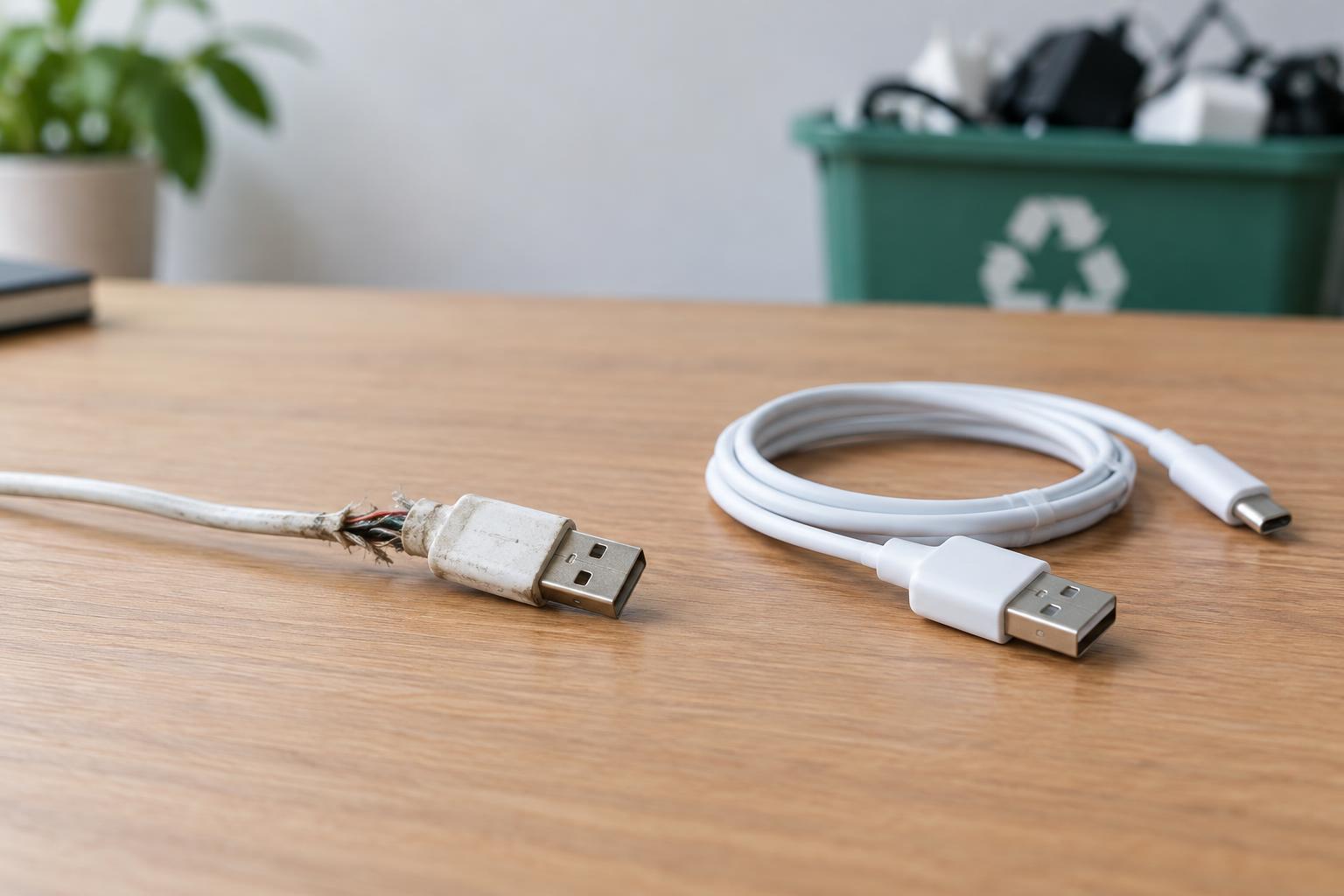
A USB charging cable has more inside it than the outer covering suggests. Its conductors carry power, and many cables also contain wires used for data or device communication. Insulation keeps those conductors apart, while the outer jacket helps protect them from bending and pulling. When the jacket splits, especially near a plug, the damage you can see may be only part of the problem. Repeated flexing may also have weakened wires inside.
A cable can appear to work despite that damage. Charging may start and stop as the cable moves, or the plug end may become unusually warm. Exposed conductors can touch each other or nearby metal, creating a short circuit. Chargers and devices may have protective features, but those features are not a reason to keep using a damaged cable. A loose connection can also make charging unpredictable.
Why tape and home splices are poor fixes
Wrapping tape around a frayed spot can cover it, but tape does not restore a broken conductor or the cable’s original strain relief. It can also hide damage that continues to worsen beneath it. If the inner wires or their insulation are visible, treat the cable as damaged rather than relying on a new outer layer.
A home splice is more demanding than simply joining two wires of the same color. Each conductor must be identified, connected securely and insulated separately, without leaving the repaired section vulnerable to bending or pulling. Cables with extra conductors or shielding add complexity. On some USB connections, communication between the cable, charger and device affects how power is delivered. A splice that seems to charge a device may still be unreliable. For an ordinary consumer charging cable, replacement is the more practical choice.
What to do when you notice damage
Stop using the cable and disconnect it from power before examining it. Hold the plug housing rather than pulling on the cord. In good light, look along the cable and near both plug ends for splits, exposed wires, sharp kinks or melted-looking areas. Do not touch exposed metal conductors, bend the damaged spot to make charging resume, or test the cable by leaving it connected unattended.
Check the charger and device port separately for visible debris or damage, without inserting metal tools. If a known-good replacement cable also disconnects, fits loosely or causes unusual warmth, the cable may not be the only issue. Stop using the affected charger or port until it can be assessed by someone qualified to service it. Do not open a wall-powered charger as part of a cable check.
Choosing and caring for a replacement
Choose a cable with connectors that match your charger and device, and check the devices’ guidance for any cable requirements. A familiar connector shape alone does not guarantee that every cable supports the same charging or data features. Look for intact plug housings, a jacket that feels securely attached at both ends, and clear product information from a reputable seller. If a cable’s purpose or specifications are unclear, choose one that is clearly suitable for your equipment.
To help the replacement last, unplug it by the connector rather than the cord. Avoid tightly winding it around a charger, trapping it under furniture or using a device in a position that sharply bends the cable at the plug. Leave enough slack that the connector is not carrying the device’s weight. These habits cannot prevent every failure, but they reduce repeated stress at common weak points.
Reuse the right way
Replacing a damaged cable does not mean it has to go in a household trash bin. Look for a local electronics or cable collection program that accepts USB cables; accepted items vary by location. Keep the damaged cable separate from working ones so nobody picks it up for charging by mistake. There is no need to splice it first or keep it as a spare.
The useful part of reuse is keeping safe equipment in service, not forcing a worn cable to keep working. If the charger and device remain sound, replacing only the cable avoids discarding them unnecessarily. A cable is a small component, but it is the physical link between a power source and a device you may handle often. When that link is frayed, a suitable replacement is the straightforward, safer decision.