Start with the measurement you need
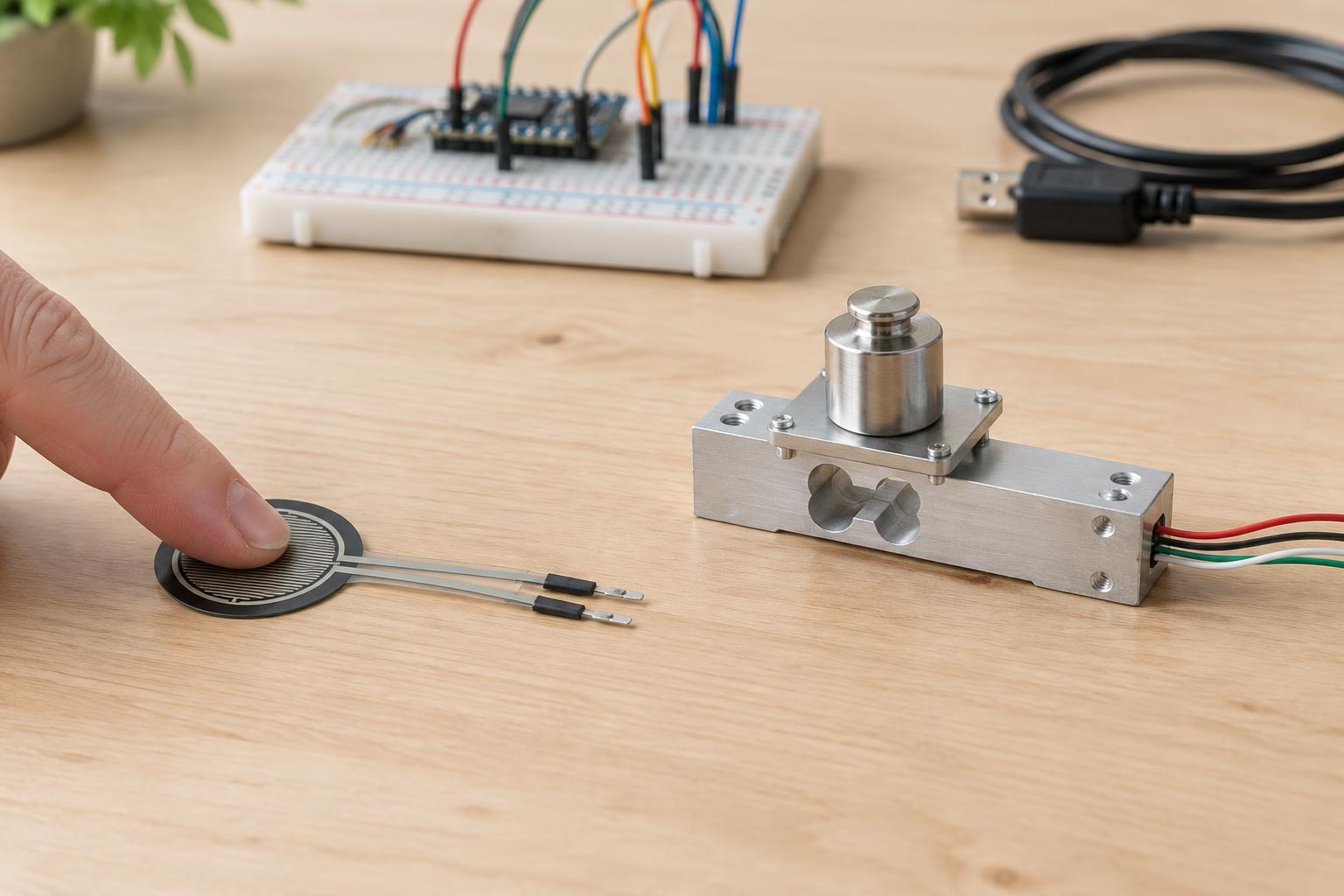
Before choosing a sensor, decide what the result must tell you. Do you only need to know whether a finger pressed a surface, or do you need a repeatable estimate of how much an object weighs? Those are different jobs. A force-sensitive resistor (FSR) is often useful for detecting a touch or comparing light and heavy presses. A load cell is generally the better starting point when the goal is to measure weight.
It also helps to distinguish force from pressure. Force describes the overall push on a sensor. Pressure describes force spread over an area. Neither device automatically gives you pressure in a meaningful unit: you would also need to know the contact area and how evenly the force is distributed. For a project such as a button that responds to squeezing, an approximate force signal may be enough. For a small scale, repeatable force measurement matters much more.
How an FSR behaves
An FSR is a thin sensing element whose electrical resistance changes when force is applied to its active area. In a simple low-voltage circuit, you can pair it with a fixed resistor to form a voltage divider, then read the changing voltage with a microcontroller’s analog input. This makes an FSR convenient for compact controls, interactive objects, and presence detection. Choose the fixed resistor to give useful readings across the range of presses you expect, while keeping the divider voltage within the input’s rating.
The trade-off is that an FSR is not usually a precise scale sensor. Its response may be nonlinear: doubling the force does not necessarily double the reading. Readings can also vary with where and how an object presses, and the output may change as a press is held or repeated. A soft pad or rigid backing can make contact more consistent, but it cannot turn the device into a precision instrument. Treat thresholds such as “pressed” and “not pressed” as its simplest use; treat estimates of force as approximate and test them in the finished assembly.
How a load cell behaves
A load cell typically uses strain gauges attached to a metal structure that bends slightly under force. In many common designs, the gauges form a bridge circuit that produces a very small voltage difference. A microcontroller usually cannot make a useful weight reading from that signal through a basic analog input alone. The load cell needs a suitable bridge-measurement amplifier or ADC module, plus a stable supply and careful connections.
Load cells suit projects where the reading should track applied force more consistently. They still require setup. You first establish a zero reading with the platform empty, then use a known reference mass to set the scale. The mounting matters as much as the electronics: the force must travel through the cell in the intended direction, without another support carrying part of the load. Side forces, an uneven platform, or loading beyond the cell’s rated capacity can cause poor readings or damage. A single load cell also does not automatically make a scale insensitive to where an object sits on a large platform.
A practical choice for common projects
Choose an FSR when your project asks, “Was something pressed, and roughly how hard?” Examples include a touch-sensitive control, a grip detector, or an interactive surface with a few response levels. Its thin shape and simple voltage-divider circuit can be advantages when space and wiring are limited. Plan to set thresholds using the actual covering, backing, and objects the project will use rather than relying on a bare-sensor test.
Choose a load cell when your project asks, “How much force or weight is there?” A small tabletop scale or a container-fill indicator is more likely to benefit from a load cell. Budget room for its measurement module and a sturdy mount, and plan to check zero and calibration after assembly. If you only need to detect that a container has been placed down, a load cell may add complexity without improving the result. If you need repeatable weight readings, an FSR is likely to create more calibration frustration than its simpler wiring saves.
Test safely and interpret readings carefully
For a beginner project, use a low-voltage supply compatible with the sensor interface and microcontroller. Check the module’s pin labels and voltage ratings before connecting it; similar-looking boards do not always have identical connections. Keep the sensing surface and wiring protected from strain, and do not test a load cell by pushing beyond its rated capacity. There is no need to work on mains-powered equipment to explore either sensor.
Record readings with no load and with several ordinary test loads or presses. Repeat each test and try different contact positions. This quickly shows whether the assembled device is consistent enough for its intended purpose. If the readings are noisy, inspect loose connections and mounting before trying to correct everything in software. Neither sensor should be the sole basis for a safety-critical limit: choose a design that remains safe if a reading is wrong or a sensor disconnects.