What a capacitive touch sensor measures
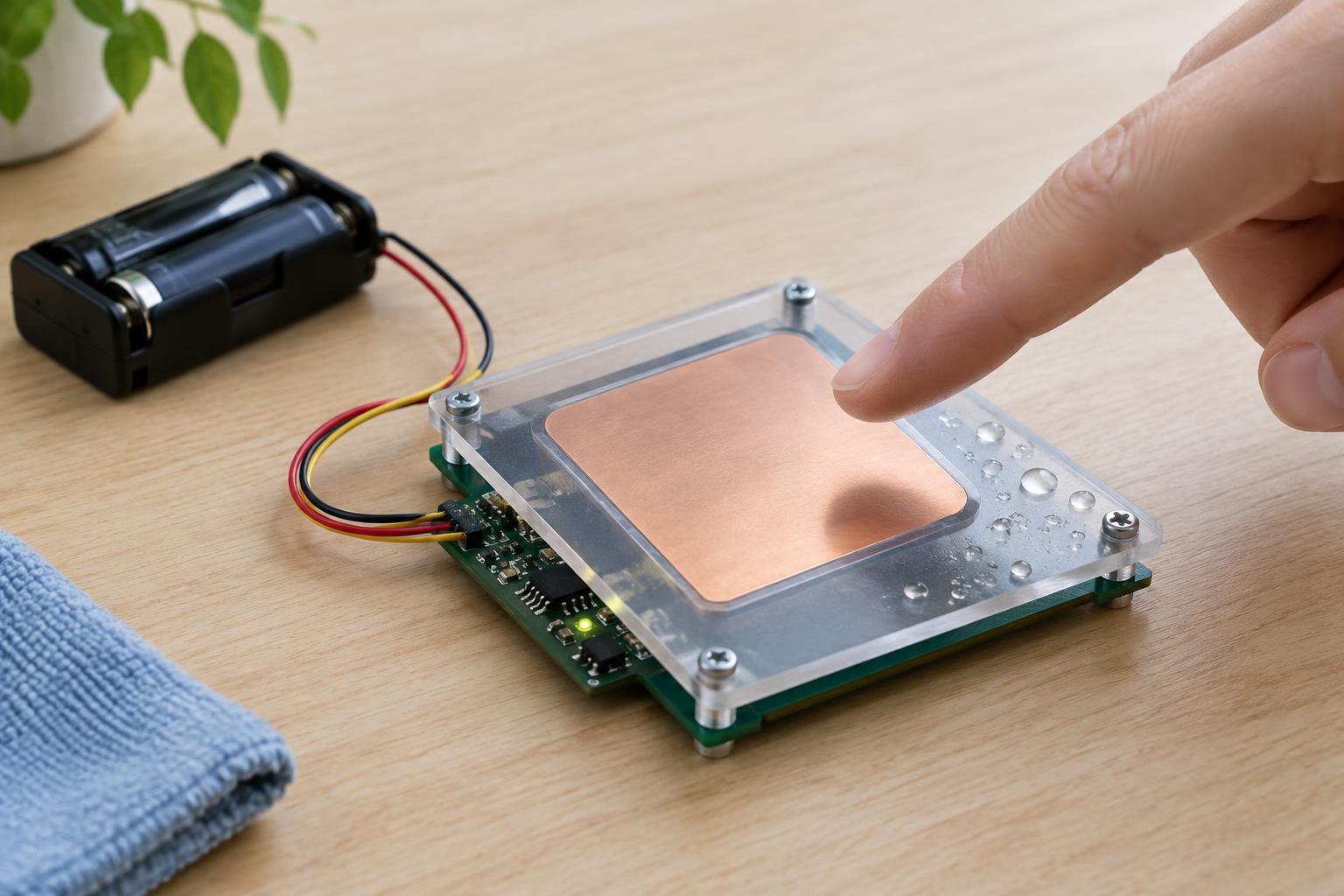
A capacitive touch control usually starts with a conductive electrode: a patch of copper on a circuit board, a metal pad, or conductive material behind a nonconductive panel. The electrode forms an electric field with its surroundings. When a finger approaches, it changes that field and the capacitance measured by the sensor circuit. No mechanical switch has to move, and the finger need not make electrical contact with the electrode.
In a common self-capacitance design, the circuit watches how the capacitance of one electrode changes relative to its surroundings. In a mutual-capacitance design, it measures the coupling between two electrodes; a nearby finger alters that coupling. Both approaches depend on detecting a small change against a background that also varies with construction, wiring and environment. The sensor therefore needs a way to decide whether a change is a touch or ordinary drift.
Why electrode shape and placement matter
A larger electrode generally presents a bigger target and can respond to a finger farther away, but it also couples more strongly to nearby objects. A very small electrode may be difficult to activate consistently through a thick cover. The cover matters too: its thickness and material affect how strongly a finger influences the field. Test the electrode with the actual cover in place rather than judging it from a bare board.
Keep sensing traces as short as practical and consider what lies around and behind the electrode. Adjacent wires, metal brackets and other electrodes can change its baseline or create unwanted coupling. A solid metal layer immediately behind a touch pad may reduce its ability to sense a finger on the other side. Electrode spacing is especially important when several touch areas sit close together: a finger should produce a clearer response at the intended control than at its neighbors.
What nearby moisture changes
Water, a damp fingerprint or condensation can alter the field near an electrode. A thin film across a panel may connect areas that were meant to behave separately, while a droplet can make one area respond differently from the dry surface. The result may be a false touch, a missed touch or a control that seems to remain active after a finger leaves. The outcome depends on the electrode pattern, cover, sensor settings and where the moisture collects.
Moisture is not always equivalent to a finger. A stationary wet patch may become part of the sensor’s slowly updated baseline, while moving water may create changing readings. If a device recalibrates while someone is touching it, that touch might also be treated as the new normal. These possibilities explain why one sensitivity setting rarely solves every wet-surface problem.
Ways to improve detection
Begin with the physical design. Keep the cover clean and make it less likely that water will pool over or bridge adjacent electrodes. Separate touch areas where space allows, and avoid routing unrelated signals close to sensitive traces. If the sensor controller supports it, compare readings from an electrode intended to remain untouched with readings from active electrodes; a shared environmental change can then be treated differently from a localized touch.
Software or controller settings can help after the layout is sound. A touch threshold should sit above normal measurement variation but below the change produced by a deliberate touch through the finished cover. Requiring a change to persist briefly can reject short disturbances. Release thresholds and baseline tracking also need attention: an overly eager baseline may absorb a held touch, while a baseline that never adapts may struggle with gradual environmental changes. Test any adjustments under both dry and damp conditions.
A safe way to test a low-voltage touch control
For a maker experiment, use a purpose-built capacitive touch module or a development board with touch-capable inputs, powered within its specified low-voltage range. Keep the test away from mains wiring and do not use a touch electrode as a substitute for an electrically safe enclosure. An insulated cover lets you test proximity sensing without asking users to contact bare circuitry.
Record the sensor’s raw readings, if available, with no hand nearby, with an intentional touch, and after adding a small amount of moisture to the outside of the cover. Dry the surface between trials and repeat at several points on the electrode. Look for a consistent gap between untouched and touched readings, not just a successful response once. If the ranges overlap, revisit the cover, electrode layout and thresholds before relying on the control in a finished device.