Why a board crack is more than a broken line
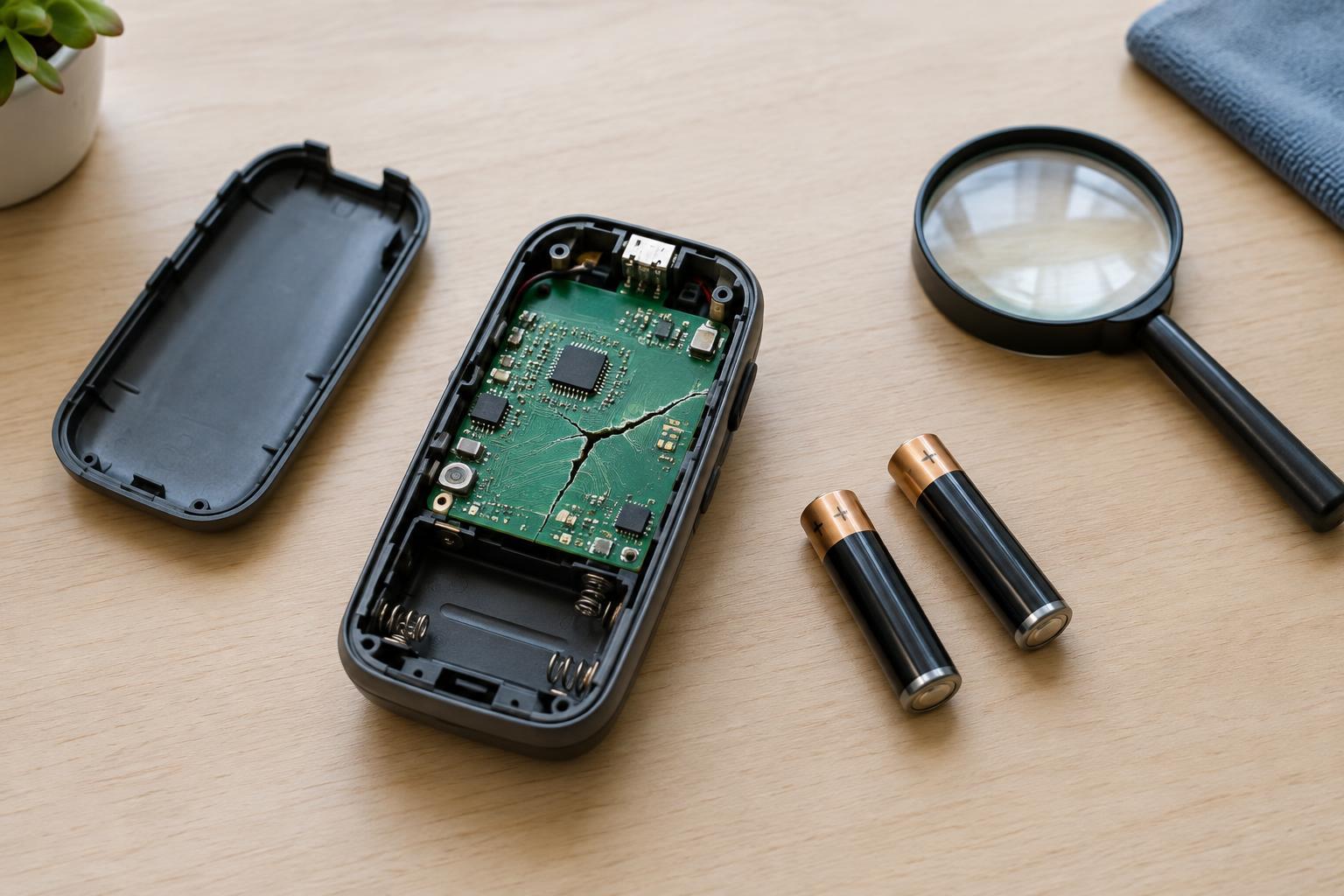
A circuit board supports components and connects them through thin copper paths. When the board bends or cracks, those paths can separate. Solder joints may also fracture, and small parts may loosen even if they look intact. Damage can extend beyond the visible line, including into layers that a beginner cannot inspect by eye.
A device with a cracked board might stop working, work only when held at an angle, or behave unpredictably. None of those symptoms identifies a single safe fix. Pressing on the board to make it work can widen the crack or bring connections together that should remain separate. For a beginner, the goal is not to prove that the device can be made to turn on. It is to decide whether inspection can continue without adding risk.
Start with a power-off visual check
Turn the device off, disconnect any charging cable, and do not test it while the case is open. If it uses ordinary removable batteries, take them out before inspecting the board. If the battery is built in, do not pry, bend, cut, or puncture it to reach the board. A device that is difficult to open without force is a reasonable place for a beginner to stop.
In good light, look without pulling on wires or flexing the board. Note where the crack runs, whether a component is loose, and whether metal contacts or wires could touch unexpectedly. A photo can help you remember the original arrangement if you later ask an experienced repairer for help. Keep loose screws and metal tools away from battery contacts.
This check has a narrow purpose: observing obvious damage. It does not confirm that hidden copper paths are intact or that the device is safe to power. Avoid the tempting test of holding the cracked pieces together while switching the device on.
Warning signs that mean stop immediately
Stop handling or testing a device if its battery is swollen, leaking, punctured, unusually hot, or giving off an unusual smell. Do not charge it or attempt a board repair. If you notice smoke or active heating, move away and follow local emergency guidance. Do not place a damaged battery in household trash; ask a suitable battery collection or recycling service how it accepts damaged batteries.
Stop if the crack passes through the battery connector, charging area, power switch connections, or a densely packed group of tiny components. A failed connection in these areas may affect charging or power control. Exposed copper, scorched areas, missing parts, and wires with damaged insulation are further reasons not to apply power. They may indicate more than a simple broken trace.
Also stop if you cannot identify the battery type, disconnect it safely, or tell which parts of the board could still be powered. Battery-powered does not always mean harmless: rechargeable packs can supply substantial current, and some devices contain circuits that raise voltage internally. Never inspect a device while it is connected to a wall charger or other external power source.
Why common quick fixes are poor beginner repairs
Tape, glue, and pressure may hold a board in place, but they do not reliably restore its electrical connections. Glue can conceal the crack and make a later repair harder. A wire soldered across a visible break may miss other damaged paths or create a short if its routing is wrong. Heat from soldering near a connected battery introduces another avoidable hazard.
A lasting repair may require tracing each affected connection, checking for shorts, securing the board mechanically, and testing the device under controlled conditions. On a multilayer board, some connections may be hidden inside it. If you do not have the tools and experience to establish what failed, repeated power-on attempts are not a substitute for diagnosis. Handing the device to an experienced repairer is the safer next step when its value justifies one.
Choose a safe next step
After a visual check, leave the device off while you decide whether to seek repair. Tell the repairer about any falls, bending, charging problems, heat, or battery damage you observed. If the device stores personal data, consider asking how that data will be handled before leaving it for service. Do not risk powering an unstable device solely to retrieve files.
If repair is not worthwhile, look for an electronics reuse or recycling option that accepts the device and its battery type. Follow the collector’s instructions about removing batteries; do not force out an integrated pack. A cracked board can be a useful lesson in how physical support and electrical connections work, but knowing when to stop is an important electronics skill too.