What this project does
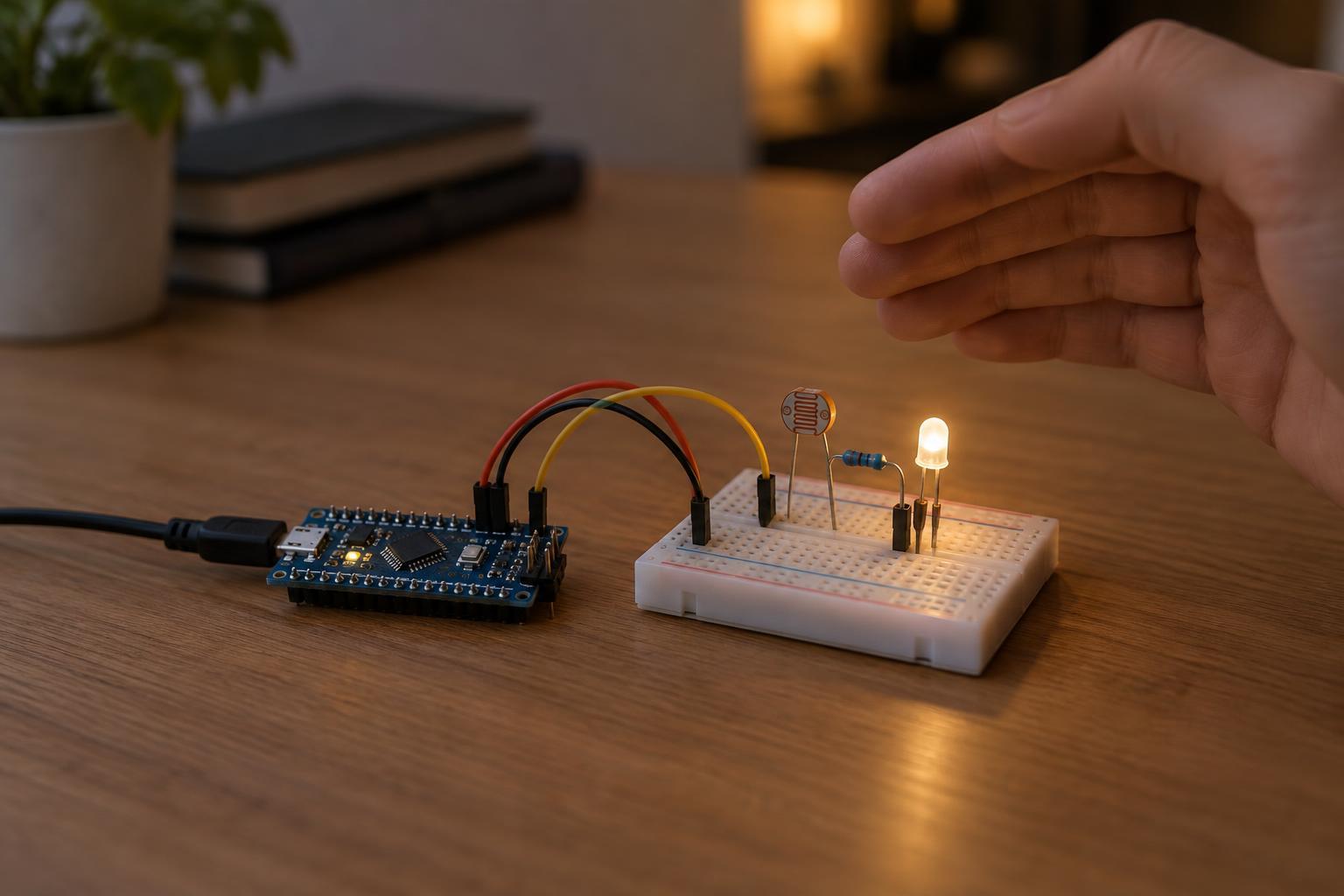
A photoresistor, also called a light-dependent resistor or LDR, changes resistance as the light around it changes. A microcontroller cannot measure resistance directly, but it can read a voltage produced by combining the photoresistor with a fixed resistor. The program then uses that reading to switch on an LED when the room is dark.
This is a small indicator-style night-light, not a room lamp. You will need a 3.3 V microcontroller board with an analog input and a digital output, a photoresistor, a 10 kΩ resistor, one ordinary LED, a 330 Ω to 1 kΩ LED resistor, jumper wires, and a breadboard. Use the board’s normal, manufacturer-supported power connection. Keep this project on the board’s low-voltage side: do not connect it to household wiring, an exposed mains power supply, or a bare rechargeable cell.
Wire the light sensor and LED
Disconnect power before moving wires. Connect one leg of the photoresistor to the board’s 3.3 V supply pin. Connect its other leg to an analog-input pin. From that same analog-input connection, run the 10 kΩ resistor to ground. This arrangement is a voltage divider: with the photoresistor at the top and the fixed resistor at the bottom, the analog-input voltage generally rises in brighter light and falls in darkness. The photoresistor has no polarity, so either of its legs can be used at the top.
For the light, connect a digital-output pin to the LED’s anode through the 330 Ω to 1 kΩ resistor. Connect the LED’s cathode to ground. The longer LED lead is commonly the anode, but check the component if its leads have been trimmed. The resistor limits LED current; do not omit it. Check your board’s pinout and output-current limits before choosing a pin. Use only one low-current LED for this direct GPIO connection—an LED strip or higher-power lamp needs a separate, appropriately designed driver.
Make sure the sensor and LED circuits share the board’s ground. Confirm that the pin chosen for the sensor really supports analog input and that its permitted input voltage includes the 0 to 3.3 V range used here. A board may accept power through USB while still using 3.3 V logic; that does not make every pin tolerant of 5 V.
Program a stable on-off decision
Set the LED pin as an output and read the sensor’s analog pin repeatedly. If your programming environment reports analog readings as raw counts, convert them to a fraction of that board’s full-scale reading before applying thresholds. With the divider wired as described, a low fraction means darker conditions. As a starting point, turn the LED on when the reading falls below 0.35 and turn it off when the reading rises above 0.45. Between those values, leave the LED in its previous state.
Using separate on and off thresholds is called hysteresis. It helps prevent flickering when the room’s light level sits near the switching point. You can also average several readings, then wait roughly a fraction of a second before checking again. Exact thresholds will vary with the photoresistor, room, and placement, so treat the suggested numbers as test values rather than universal settings.
Test, adjust, and troubleshoot
Power the board and first check the sensor reading in bright room light and with the photoresistor shaded. The reading should drop when shaded. Choose an on threshold above your dark reading and an off threshold below your bright reading, with some space between them. If those readings are too close to separate reliably, try a different location for the sensor or adjust the fixed resistor value. Keep the LED from shining directly on the photoresistor: otherwise the light may turn itself off as soon as it turns on.
If the LED never lights, check its orientation, the series resistor, the output pin selected in the program, and the shared ground. If the sensor reading moves in the opposite direction from the description, recheck the divider connections; you can also reverse the comparison in the program to match a differently wired divider. If the LED flickers, widen the gap between thresholds, average more readings, or move the sensor away from shadows cast by people passing nearby. Disconnect power before rewiring, and keep any future brighter-light upgrade separate from this GPIO-only build.