What you will build
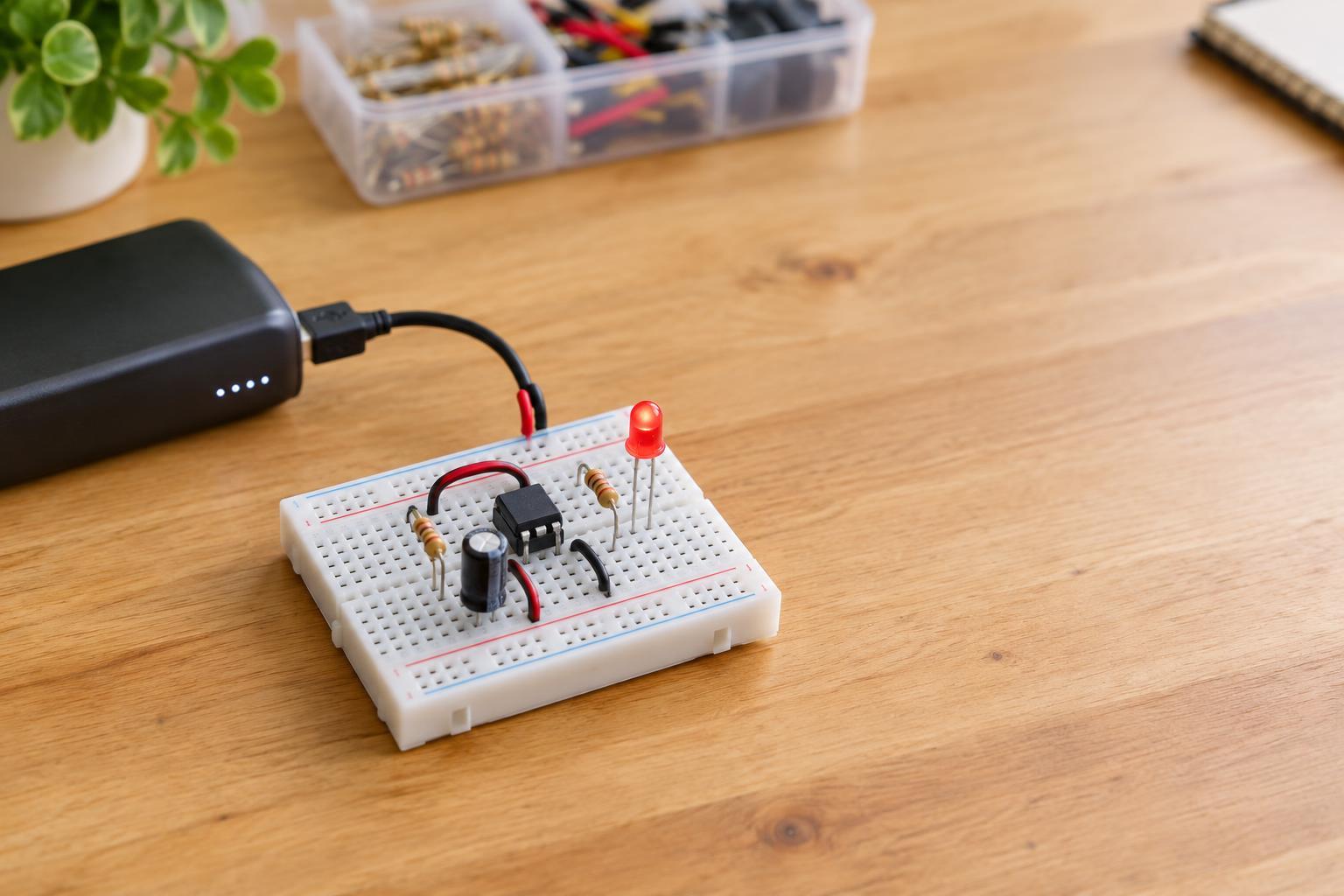
A 555 timer can repeatedly switch its output between high and low without a microcontroller. In this project, that output drives one LED, creating a visible blink. The circuit uses the timer in its astable mode: a capacitor charges through two resistors, then discharges through one of them. As its voltage rises and falls, the 555 changes its output state.
This is a low-voltage breadboard project. Use a regulated 5 V supply intended for small electronics, and disconnect it whenever you change the wiring. Do not connect the circuit to household mains, an unregulated power adapter, or a bare lithium cell. If you are new to breadboards, first identify which holes are electrically joined; some breadboard power rails are split partway along their length.
Gather the parts and identify the pins
You will need a standard eight-pin 555 timer suitable for 5 V operation, a breadboard, jumper wires, one LED, a 470 Ω resistor for the LED, a 10 kΩ resistor, a 47 kΩ resistor, a 10 µF electrolytic capacitor, a 100 nF ceramic capacitor, and a regulated 5 V supply. A 10 nF ceramic capacitor for pin 5 is recommended. Check the pinout for your particular timer before wiring it; parts with similar names or different packages may need a different layout.
On a typical eight-pin 555, pin 1 is ground, pin 8 is the positive supply, pin 3 is the output, and pin 4 is reset. Pin 7 provides the discharge path. Pins 2 and 6 sense the timing capacitor. Pin 5 is the control-voltage pin. Place the chip across the breadboard’s center gap so pins on opposite sides do not share a row.
Wire the blinker
With power disconnected, connect pin 1 to the ground rail and pins 8 and 4 to the 5 V rail. Connect the 100 nF capacitor directly between pins 8 and 1, or as close to those pins as the breadboard allows. It helps keep small supply disturbances from upsetting the timer. Connect the optional 10 nF capacitor from pin 5 to ground.
Join pins 2 and 6 with a short jumper. Connect the 10 kΩ resistor from 5 V to pin 7, and the 47 kΩ resistor from pin 7 to the joined pins 2 and 6. Connect the positive lead of the 10 µF capacitor to the joined pins 2 and 6 and its negative lead to ground. The negative lead is usually marked by a stripe on the capacitor body; verify the markings on yours.
Finally, connect pin 3 through the 470 Ω resistor to the LED’s anode, and connect the LED’s cathode to ground. The cathode is commonly identified by the shorter lead or the flat edge of the LED body. The resistor can be on either side of the LED as long as it is in series. Before applying power, trace each connection once more, paying particular attention to the capacitor and LED polarities.
Understand the blink and adjust it
When power is applied, the timing capacitor charges through both timing resistors. After its voltage reaches the timer’s upper switching threshold, the output changes state and pin 7 discharges the capacitor through the 47 kΩ resistor. At the lower threshold, the output changes back and charging begins again. With the suggested values, the LED should blink roughly once or twice per second; component tolerances and the particular timer can affect the exact rate.
To make the blink slower, increase the timing capacitance; to make it faster, decrease it. Changing the 47 kΩ resistor also changes the rate, while the 10 kΩ resistor influences the charging time. Keep the 470 Ω LED resistor in place when experimenting with timing parts: it limits LED current and serves a different purpose.
If the LED does not blink
If the LED stays dark, disconnect power and check that 5 V reaches pin 8, ground reaches pin 1, pin 4 is tied to 5 V, and the LED faces the correct way. Confirm that the LED resistor connects to pin 3 rather than a neighboring pin. If the LED stays steadily lit, inspect the jumper between pins 2 and 6, both timing resistors, and the capacitor connection to ground.
A misplaced jumper can make a correctly chosen set of parts behave unpredictably. Compare the actual breadboard rows with the intended connections instead of relying on wire color alone. Stop and disconnect power if a component becomes hot or you notice an unusual smell; recheck the supply voltage and wiring before trying again.