What the indicator does
A passive infrared (PIR) sensor responds to changes in infrared energy across its field of view. In a motion indicator, the sensor sends a signal to a microcontroller, which turns on an LED when it detects activity. The result is a simple visual alert, not a device that identifies a person or measures distance. Motion across the sensor’s view often produces a clearer response than motion directly toward it, although behavior depends on the sensor and its placement.
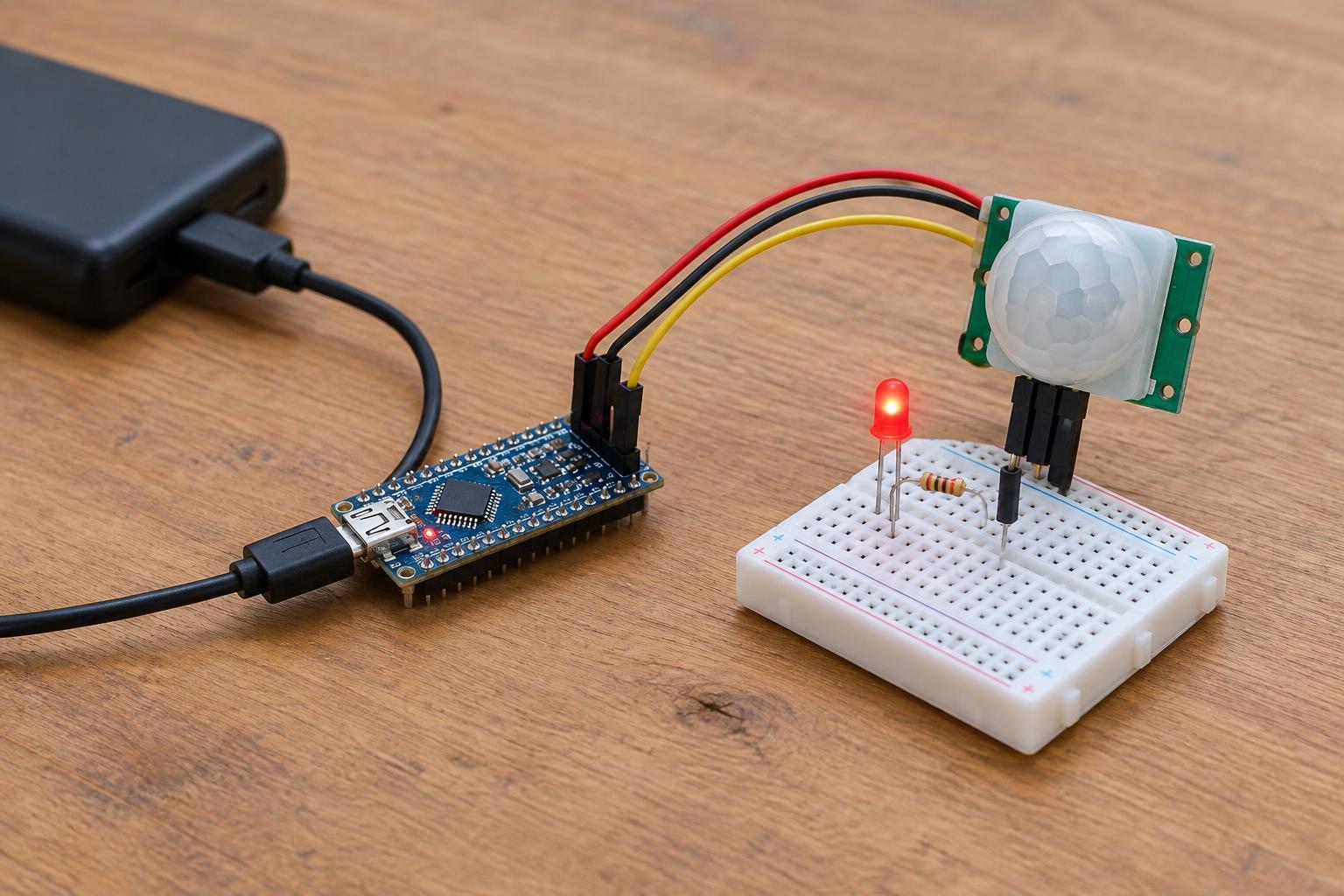
This project uses a PIR module, a 3.3 V microcontroller board, one LED, a 330-ohm resistor, jumper wires, and a breadboard. Power both boards from an appropriate regulated, low-voltage source. Work only with enclosed USB power or another supply intended for your boards; do not connect this circuit to household wiring. If your board can also be powered through other connectors, follow its documentation so you do not accidentally feed power into the wrong pin.
Check compatibility before wiring
The phrase “3.3 V-compatible” needs two checks. First, confirm that the PIR module can operate from a 3.3 V supply. Second, confirm that its output signal stays within the voltage range allowed at your microcontroller’s input pin. A module may accept one supply voltage yet produce an output that is unsuitable for a particular board. Use the labels and documentation for your exact module rather than relying on wire colors or a similar-looking product.
Identify the PIR module’s supply, ground, and output pins. Some modules have additional controls for sensitivity or the length of time the output remains active. Also check whether the output goes high or low when motion is detected; the program must interpret it accordingly. Leave extra controls at their default settings for the first test, and adjust them only after the basic circuit works.
Wire the sensor and LED
Disconnect power before changing connections. Connect the PIR supply pin to the board’s regulated 3.3 V pin and its ground pin to a board ground pin. Connect the PIR output to a digital input pin. The sensor and microcontroller must share ground so the input signal has a common reference. Do not connect the sensor output directly to a power pin or assume it can safely drive the LED.
For the indicator, connect a digital output pin through the 330-ohm resistor to the LED’s anode, which is usually its longer lead on a new LED. Connect the cathode to ground. The resistor limits LED current; do not omit it. At 3.3 V, a typical visible LED with this resistor draws a modest current, but LED characteristics and board pin limits vary. Check your board’s output-pin rating, and choose a higher resistance if needed. If the LED is already built into your board, you may use that instead and omit the separate LED and resistor.
Set up the indicator behavior
In your board’s programming environment, configure the PIR connection as a digital input and the LED connection as a digital output. Repeatedly read the input. When it indicates motion, set the LED output on; otherwise, set it off. Reverse that condition if your module reports motion with a low signal. Use your board’s pin names and LED output conventions, which can differ between models.
A PIR module may need a settling period after power-up. During that time, an unexpected output does not necessarily mean the wiring is wrong. Once it has settled, walk across its field of view and watch the LED. Many modules hold their output active for a while after a trigger, so the light may remain on after you stop moving. A short delay in the program can make the display steadier, but avoid treating every brief change as a precise record of movement.
Troubleshoot and place it responsibly
If the LED never lights, check power, common ground, pin assignments, LED polarity, and whether the sensor output changes when motion occurs. If it stays lit, allow more time after startup, check whether your program expects the correct active level, and review any timing control on the module. If behavior seems erratic, inspect loose breadboard contacts and try moving the sensor away from heating vents, direct sunlight, or other changing heat sources. Test one change at a time so you can tell what helped.
Mount the finished indicator where it has a useful view without exposing the wiring to moisture or accidental contact. Treat it as an educational signal, not a security or life-safety device: a PIR sensor can miss motion or respond to changes you did not intend to detect. When you take the project apart, save working components for reuse and send damaged electronics to an appropriate collection point rather than putting them in general waste.