First, identify what “digital” means
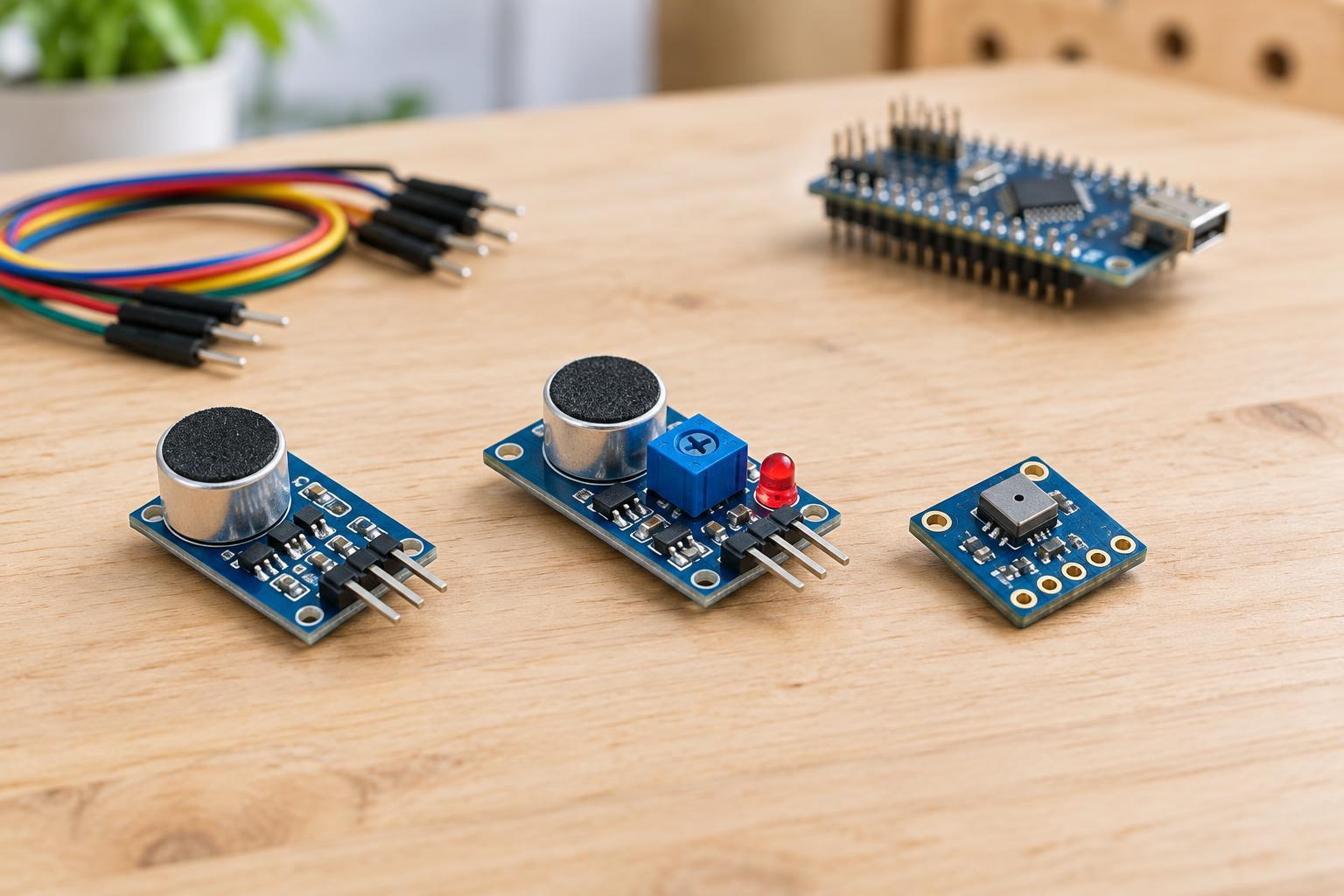
Microphone modules convert changes in air pressure into electrical signals, but their output pins do not all carry the same kind of information. An analog audio module provides a voltage that varies with the sound waveform. A digital sound-detection module usually provides only an on/off result. A digital audio microphone sends a sequence of sound samples over an interface such as PDM or I²S. All three may be sold as sound sensors, so check the pin labels and the module description before choosing one.
The distinction determines what your project can do. A door-closing indicator may need only an on/off trigger. A display that rises and falls with sound needs a level estimate. Recording or analyzing speech and other audio requires waveform data and enough processing capacity to handle it. A trigger output cannot be turned back into the audio that caused it.
Analog outputs: a waveform or a level
An analog microphone breakout often contains a microphone element and an amplifier. Its audio output follows the waveform and may sit around a fixed bias voltage so that both upward and downward changes fit within a single-supply circuit. A microcontroller can read this output with an analog-to-digital converter (ADC), provided the signal stays within the ADC’s allowed input range. The exact supply voltage, bias, and maximum output depend on the board.
Some analog boards instead provide an envelope or level output. Their circuitry smooths the audio into a more slowly changing voltage. That makes it easier to follow general loudness with occasional ADC readings, but it discards most of the waveform detail. An output labeled “analog” therefore does not automatically mean it is suitable for recording. Consult the module’s pin descriptions to find out whether it provides audio, an envelope, or both.
For a simple relative sound meter, you can take multiple ADC readings over a short interval and calculate a measure of variation, such as the difference between the highest and lowest readings. For an audio waveform centered on a bias voltage, you can instead estimate its average magnitude or root-mean-square variation around that bias. The result is useful for comparing conditions with the same setup; it is not automatically a reading in decibels. If the waveform hits the top or bottom of the ADC range, clipping will make louder sounds difficult to distinguish.
Digital outputs: triggers are not recordings
Many inexpensive sound-detection boards combine a microphone with a comparator. The comparator switches a digital output when an internal signal crosses a threshold, which may be adjustable with a small potentiometer. Your controller reads that pin as high or low rather than measuring sound intensity. The output can answer “did the board detect enough sound?” but generally cannot answer “how loud was it?” or “what did it sound like?”
A threshold may respond differently to a brief tap, steady noise, or a distant voice. Near the threshold, a noisy signal can make the output switch repeatedly. Testing in the intended location and adding a short software hold time or other filtering can make an event indicator more dependable. If the board also has an analog pin, evaluate that pin separately; the digital trigger tells you little about the analog signal’s quality.
A true digital audio microphone is different. It converts sound into digital data on the module and requires a controller that supports its interface and timing. PDM produces a high-rate bitstream that must be processed into audio samples; I²S carries formatted digital audio data. These modules are useful when you need a waveform without using the controller’s analog input, but they still require appropriate sampling, buffering, and software.
Choosing and testing a module safely
Start with the output your project needs: a comparator trigger for a simple sound event, an envelope output for a rough level display, or an analog waveform or digital audio stream for audio analysis. Then check supply requirements and logic levels. A module powered at one voltage may produce an output that is unsafe for a controller’s lower-voltage input. Connect grounds where the module documentation requires it, and use only compatible low-voltage supplies. Keep these beginner projects away from mains wiring.
Test with a repeatable sound at several distances and watch how the output changes. If readings barely move, check the pin type, gain, code, and ADC settings before assuming the microphone is faulty. If readings stay near an input limit, look for clipping or an incompatible voltage. For waveform work, sample fast enough for the frequencies you want to examine; slow, occasional ADC reads are better suited to a smoothed level output than to capturing audio.
Finally, treat “sound level” as a description of your particular circuit unless you have a suitable calibrated measurement method. Microphone sensitivity, amplifier gain, placement, enclosure, and frequency response all affect the reading. A hobby module is useful for experiments and relative comparisons, but should not be relied on for hearing-safety decisions or compliance measurements. If a project can capture intelligible audio, consider the privacy of people nearby and collect only what the project needs.